Intermittent fasting, simply.
Posto is a simple intermittent fasting timer. Pick a protocol, start your fast, and see right away how much time is left and which phase you are in.
- No account or email
- No ads
- Your data stays on your phone
No sign-up
You don't need an account or an email. Open it and start your fast right away.
Completely free
No subscription, hidden fees or ads. All features are available straight away.
On your phone
Install Posto straight from your browser, no app store needed. Works on iPhone and Android.
How it works
- 01
Choose a protocol
16:8, 18:6, or a gentle 13:11 to start. You can change it any time.
- 02
Start your fast
One tap. Forgot to start? Set the time of your last meal back in time.
- 03
Track your progress
The timer shows time to your goal and your current fasting phase, and your history builds your streak of days.
Everything you need. Nothing more.
Three screens that do their job. Choose the light or dark theme.
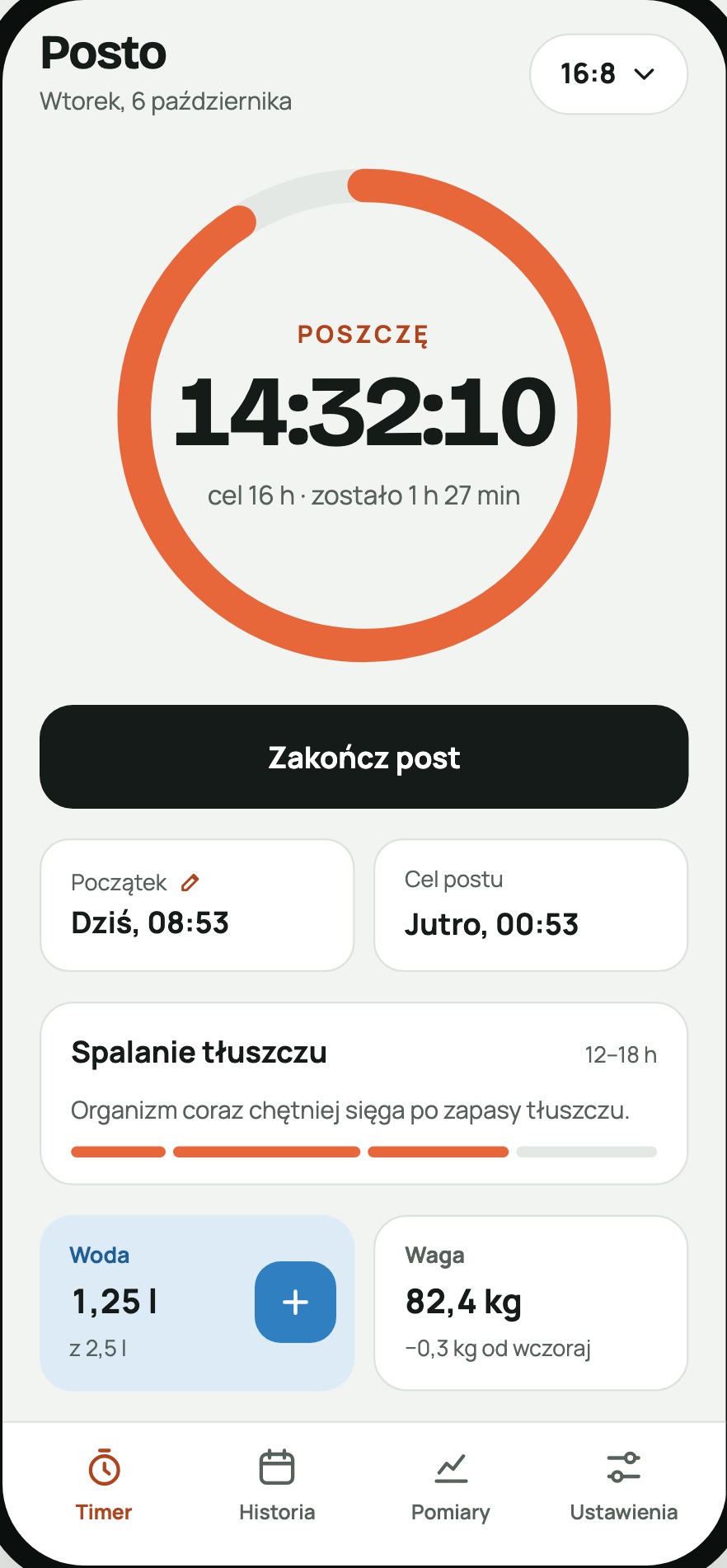
Timer and fasting phases
Time to your goal, end time and the phase you are in: from digestion to ketosis.
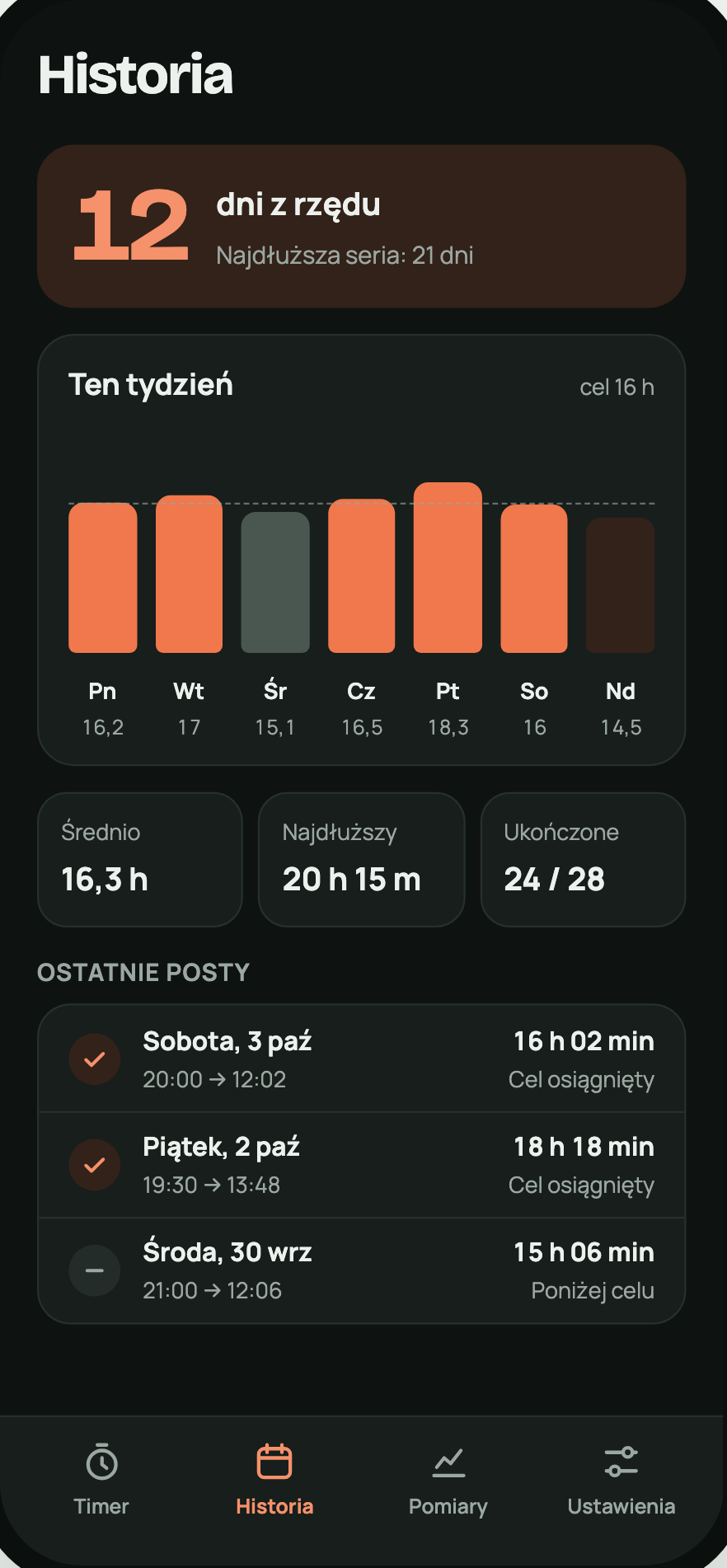
History and day streak
A week on a chart, your average fast length and the number of days in a row that keeps you going.
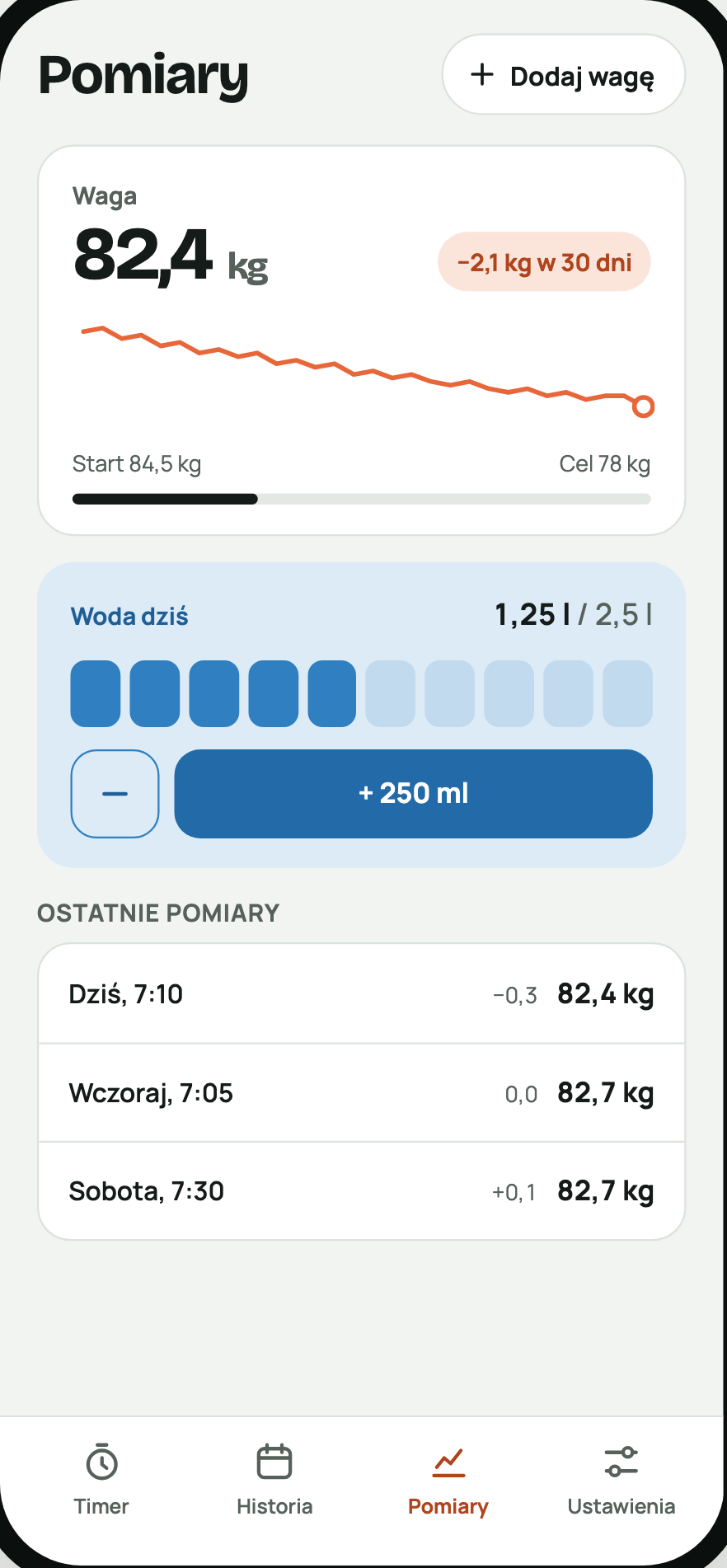
Water and weight
One glass at a time toward your daily goal and your weight trend over the last 30 days.
You don't have to start with 16:8.
Start gently and extend your fast gradually. Posto supports six popular protocols.
Your data stays on your phone.
Nothing is sent anywhere
Fasts, weight and water are saved only in your browser's memory. We have no access to them.
No cookies
We collect only anonymous visit statistics, with no cookies and no consent banner.
Full control
Export your data to a file or delete it with one button in Settings.
Install in 30 seconds
Posto is a PWA app. You install it from your browser and then launch it from your home screen like any other app.
iPhone
- 1Open mateuszbukowski93.github.io/posto-pwa in Safari.
- 2Tap "Share" – the square with an up arrow.
- 3Choose "Add to Home Screen".
- 4Tap "Add". Done.
Android
- 1Open mateuszbukowski93.github.io/posto-pwa in Chrome.
- 2Tap the ⋮ menu in the top right corner.
- 3Choose "Install app".
- 4Confirm "Install". Done.
Frequently asked questions
Is Posto really free?
Yes. There's no subscription, no paid features and no ads. If you like, you can voluntarily support the app's development.
Do I need to create an account?
No. Posto works without signing in and without an email.
Where is my data stored?
Only on your phone, in the browser's memory. We don't send it to a server and have no access to it.
What if I change my phone?
Export your data to a file in Settings on the old phone and import it on the new one.
Does Posto work on iPhone and Android?
Yes, in Safari, Chrome and other modern browsers. On iPhone, notifications work after you add Posto to your home screen.
Is intermittent fasting right for everyone?
No. Posto does not replace medical advice. Talk to your doctor, especially if you are pregnant, breastfeeding, have a chronic condition, take medication or are under 18.